SPF Flattening
What is SPF Flattening?
SPF flattening simplifies and optimizes your SPF DNS record. This reduces the number of DNS lookups it generates, ensuring domain owners stay within the allowed DNS query limit. It does so by consolidating nested includes and replacing indirect references with corresponding IPs, transforming the record into a single, comprehensive entity for error-free SPF authentication.
Example:
Before Flattening: v=spf1 include:example1.com include:example2.com ~all
After Flattening: v=spf1 ip4:192.168.1.1 ip4:192.168.2.2 ~all
Flattening SPF records replaces the “include” mechanisms with direct IP addresses, minimizing DNS lookups.
Why is SPF Flattening Essential?
Simplifying SPF records by using optimization techniques like Flattening offers several benefits:
1. Maintaining Compliance
It is mandatory for SPF records to adhere to DNS lookup limits. Flattening helps simplify SPF records to stay under the limit, thereby maintaining compliance with RFC-specified regulations for email authentication protocols documented by the IETF. This compliance also ensures that your domain remains trustworthy in the eyes of email-receiving mail servers.
2. Improved Email Deliverability
Emails that exceed the SPF lookup limit are often treated with suspicion and may get flagged or even rejected by the receiver’s mail server. This will lead to email deliverability issues. SPF flattening ensures that your SPF stays within the permitted limit, thereby making your emails appear more legitimate and resolving deliverability issues.
3. Reduced Risk of Email Spoofing
Pairing SPF with DMARC, while also using flattening to optimize SPF, reduces the risk of email-based cyber attacks like phishing and spoofing. If your DMARC implementation is paired with SPF that exceeds the allowed limit, failing SPF will also result in DMARC failures for even legitimate messages.
How SPF Flattening Works
You can flatten SPF manually, or choose an automated online tool to fast-track the method. Let’s explore both:
Manual SPF Flattening
To manually flatten your SPF records:
Step 1. Analyze SPF Records: Identify all includes and nested lookups.
Step 2. Consolidate Lookups: Replace includes with direct IP addresses or CIDR ranges.
Step 3. Test the Flattened Record: Validate your flattened SPF record by either manually reviewing the record in your DNS or using an online SPF checker tool to ensure compliance and functionality.
Automated SPF Flattening
You can auto-flatten your SPF records using PowerDMARC’s SPF flattening tool. Here’s how it works:
Step 1: Sign up on the PowerDMARC platform.
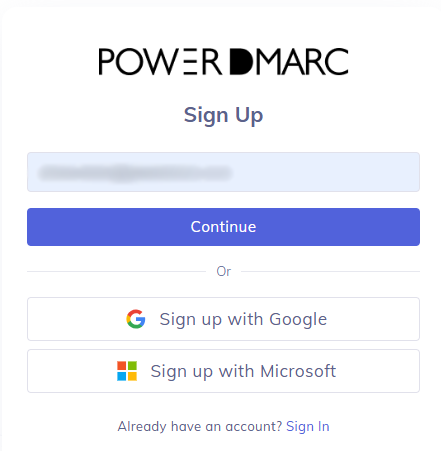
Step 2: Click on PowerSPF under “Hosted Services”.

Step 3: Add your domain and select the active domain.
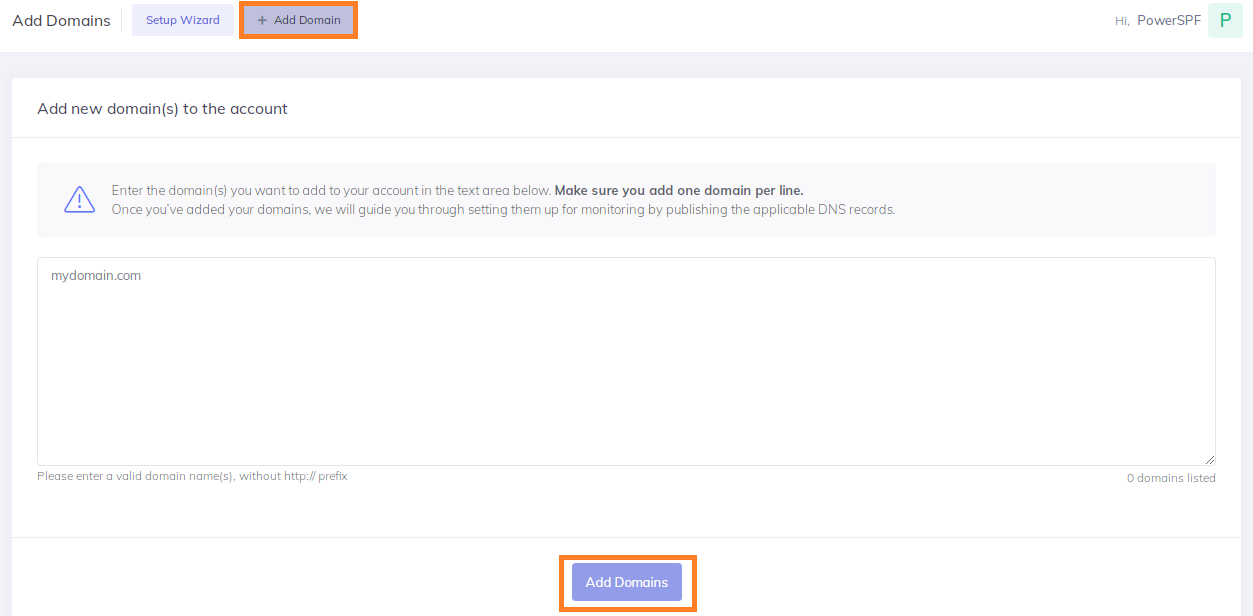
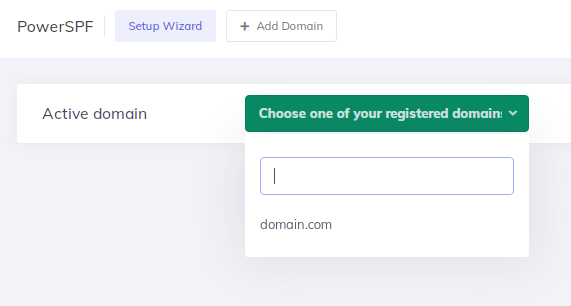
Step 4: Click on “Automated Setup” and Enable PowerSPF.

Note: Manual SPF flattening is not recommended as email service providers often add or change their IP addresses without notifying users. Users need to always stay on top of these services to stay informed on any changes. Unless they do so, it may lead to unwanted SPF failures and cause your legitimate emails to not get delivered. This makes automatic flattening a hassle-free method and a clear winner in terms of both reliability and effectiveness.
Best Practices for Implementing SPF Flattening
To ensure the flattened SPF record is performing as it should, you can consider the following tips:
1. Monitor Flattened SPF Records
SPF records are often subject to changes as they heavily depend on alterations made by your email service providers and vendors to their IP addresses and sending servers. Flattened SPF records (especially ones that are manually flattened) may often get outdated, reintroducing lookup limitation errors. It’s important to schedule periodic reviews to check for any changes and update your SPF records accordingly.
2. Simplify SPF Records
While flattening SPF records, you also need to keep in mind simplicity and manageability. Extensive and complicated SPF setups often introduce errors and complexities during authentication. As flattening replaces include mechanisms with IP addresses and ranges, sometimes the string may get long enough to exceed the permitted SPF length limit of 255 characters.
Challenges of SPF Flattening
Let’s explore a few problems domain owners may face when using traditional flattening methods, and some easy fixes:
1. Managing Updates
Changes in authorized servers require updates to flattened records. A solution around this is to schedule regular audits and use automated tools.
2. Lengthy SPF Records
Replacing IP references with actual IPs may lead to very lengthy records that exceed the character length limit. A solution around this is to use Macros instead of flattening.
3. Misconfigured SPF Records
Misconfigured records can cause email disruptions. Rely on trusted SPF flattening tools or services that also offer expert support for assistance whenever needed.
 Standard Email Protocols: SMTP, POP3 & IMAP Free4 m
- What is Email Security? Free4 m
- Email Security Practices Free4 m
- Building an Email Security Compliance Model Free5 m
- Corporate Email Security Checklist Free3 m 30 s
- What is the difference between Inbound email security and outbound email security? Free4 m
- What is Information Security? Free4 m
- Zero Trust Security Model Free3 m
- What is a DNS Lookup? Free4 m
- Understanding the 10 DNS Lookup Limit for SPF Records Free3 m
- SPF Void Lookups Explained Free2 m
- Creating and Optimizing SPF records for your own domain Free4 m
 Video Free2 m
- What is SPF Permerror and How to Fix It Free7 m
- Video Free2 m
- SPF Flattening Free5 m
- SPF Macros Free9 m
- Video Free2 m
- What is SPF Alignment? Free3 m
- How to Set Up Microsoft Office 365 SPF record? Free4 m
- How to Set Up Google Workspace SPF Record? Free2 m
- How to Set Up MailChimp SPF Record? Free3 m
- How to Set Up SendGrid SPF Record? Free2 m
- How to Set Up Salesforce SPF Record? Free3 m
- How to Setup Zoho Mail SPF Record? Free2 m
- What is DKIM Alignment? Free3 m
- DKIM Domain Alignment Failures Free6 m
- How to Set Up DKIM for Microsoft Office 365? Free4 m
- How to Set Up DKIM for Google Workspace? Free3 m
- How to Set Up DKIM for MailChimp? Free4 m
- How to Set Up DKIM for SendGrid? Free3 m
- How to Set Up DKIM for Salesforce? Free3 m
- How to Set Up DKIM for Zoho Mail? Free3 m
- DMARC RFC 9989, 9990 and 9991 Free5 m
- What is DMARC Compliance? Free2 m
- DMARC Compliance Requirements Free2 m
- The Benefits of DMARC Free2 m
- DMARC Configuring Free3 m
- Achieving DMARC Enforcement Free2 m
- DMARC Vs Antispam Solutions Free2 m
- DMARC Identifier Alignment Free2 m
- DMARC sp Tag Exceptions & Uses Free1 m
- Configuring DMARC without DKIM Free3 m
- Configuring DMARC without SPF Free2 m
- DMARC Aggregate Report Views Free3 m
- Video - PowerDMARC Aggregate Reports Free2 m 13 s
- DMARC Forensic Report Views Free2 m
- Video - PowerDMARC Forensic Reports Free
- DMARC Forensic PGP Encryption and Decryption Free2 m
- TLS Report Views Free3 m
- Video - PowerDMARC TLS Reports Free
- PDF/CSV Reports Free2 m
- Video - PowerDMARC PDF/CSV Reports Free1 m 1 s